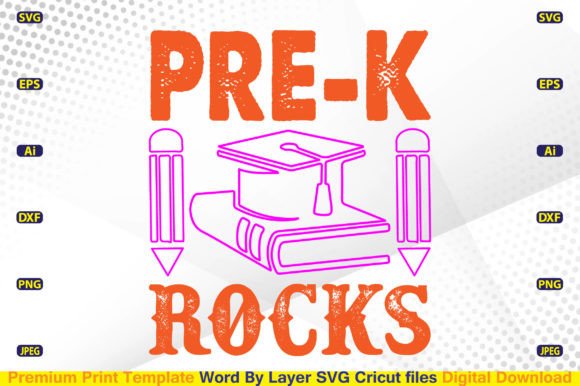
Pre-K Rocks SVG: Creative & Commercial Ready
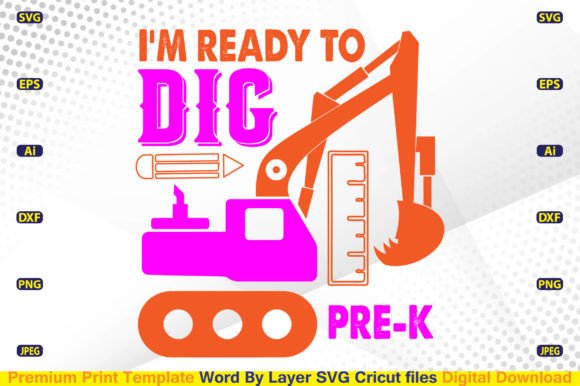
Pre-K Rocks SVG isn’t just a playful phrase—it’s a versatile, production-ready digital asset built for real-world use. Designed as a Word By Layer SVG file, it gives you precise control over each letter or element—ideal for layered vinyl cuts, multi-color t-shirt designs, or animated reveals in digital presentations. Whether you’re a preschool teacher personalizing classroom apparel, a small-batch merch brand launching a back-to-school collection, or a freelance designer building a client’s education-themed campaign, this file delivers clarity, consistency, and commercial flexibility—right out of the download.
What Makes This Pre-K Rocks SVG Stand Out
Unlike generic text-based SVGs, this version is engineered for function and fidelity. Each word—“Pre,” “K,” and “Rocks”—is isolated on its own layer, allowing you to reorder, recolor, resize, or omit elements without affecting the rest. That means you can easily adapt it for different age groups (swap “Pre-K” for “Kindergarten Rocks”), highlight “Rocks” with glitter vinyl while keeping “Pre-K” matte, or stack layers for dimensional heat-transfer effects. The vector foundation (AI, EPS, DXF) ensures sharp scaling from a 3-inch iron-on to a 24-inch banner—no pixelation, no guesswork.
The included high-resolution PNG (4500×5400 px, 300 DPI, transparent background) opens doors beyond cutting machines. Use it in Canva for social media graphics, embed it into lesson plan PDFs, or drop it into email newsletters for early childhood educators. The JPEG version works well for web previews or printed handouts where transparency isn’t needed. And because it’s compatible with Cricut Design Space, Silhouette Studio, Inkscape, Adobe Illustrator, and Photoshop, your workflow stays uninterrupted—no reformatting, no compatibility headaches.
Ideas That Work—Not Just Look Good
Creative value comes from application—not decoration. Here’s how different users turn this Pre-K Rocks SVG into tangible results:
- Educators & School Staff: Cut the design onto navy or burgundy t-shirts for staff appreciation week—or break apart “Pre-K” and “Rocks” to label supply bins, cubbies, or reading corner signs. Pair “Rocks” with a simple star icon (using your own SVG library) to create consistent reward stickers.
- Small Business Owners: Bundle the Pre-K Rocks SVG with complementary files like “ABC Rocks” or “Math Rocks” to build a themed digital product line on Etsy or Creative Market. Offer color variants (pastel, bold, chalkboard-style) as add-ons—each requiring only minor palette swaps in Illustrator.
- Freelance Designers: Use the DXF and EPS files to prep artwork for local sign shops or embroidery digitizers. Layer the “K” with a custom kindergarten mascot (e.g., a friendly kangaroo) for school-branded merchandise—then deliver clean, separated layers so the printer knows exactly where to place each material.
- Hobbyists & Parents: Resize “Rocks” alone for a toddler’s backpack patch, or mirror the full phrase for iron-on transfers on reusable lunch bags. The transparent PNG makes it easy to composite over photos of classroom setups for Instagram posts or PTA flyers.
Keep It Clear, Consistent, and Audience-Aligned
Clarity starts with intention. Before cutting or exporting, ask: Who sees this—and where? A t-shirt for teachers needs legibility at arm’s length; a classroom poster benefits from generous spacing between “Pre” and “K” to avoid visual crowding. Use the AI or SVG file to adjust kerning manually—don’t rely on auto-spacing. For younger audiences, consider rounding corners on letters or adding subtle shadow layers (in Photoshop) to boost contrast against busy backgrounds.
Consistency builds trust. If you’re designing a full back-to-school suite—t-shirts, tote bags, name tags—use the same base file across all items. Change only what serves the format: simplify layers for heat-transfer vinyl (fewer weeding steps), expand stroke weights for embroidery files, or reduce detail for sublimation on polyester blends. The EPS and DXF files give you that precision without rebuilding from scratch.
And remember: originality isn’t about reinventing the phrase—it’s about thoughtful execution. Swap fonts *only* if your new typeface supports the same layer structure and remains Cricut- or Silhouette-friendly. Add texture via halftone overlays (in Illustrator) instead of complex gradients that may not cut cleanly. Test one layer at a time on scrap material before committing to a full run.
Realistic Tips for Real Projects
You don’t need advanced software to get great results. In Cricut Design Space, upload the SVG and use “Ungroup” to access individual words—then lock layers you’re not adjusting. In Silhouette Studio, import the DXF for crisp vector paths, especially if you’re sending to a professional cutter. For print-on-demand platforms like Printful or Redbubble, export the PNG at exact dimensions required (e.g., 4500×5400 px), then verify alignment using their mockup tools before publishing.
If you’re bundling this with other designs, group them by use case—not just theme. A “Back to School Educator Bundle” might include Pre-K Rocks SVG, editable class schedule templates (PDF), and matching sticker sheet layouts (SVG)—all sharing the same color palette and layer logic. That kind of cohesion signals professionalism to buyers and reduces support requests.
Finally, check your Gallery regularly—not just for new designs, but to see how others are adapting similar files. You’ll spot emerging trends (like soft-touch foil finishes on “Rocks”), seasonal twists (adding apples or pencils as accents), or platform-specific optimizations (vertical layouts for TikTok banners). That’s where inspiration meets practical insight.
This Pre-K Rocks SVG is more than a download—it’s a starting point with structure. It saves time, scales reliably, and adapts without compromise. Whether you’re prepping for the first day of school or building a sustainable creative business, it’s designed to work as hard as you do.